
Six Game is not just an exciting online gaming platform; it also allows players to withdraw their winnings effortlessly. To maximize your experience, understanding the withdrawal process is essential. This step-by-step guide will help you navigate the withdrawal procedure smoothly and efficiently.
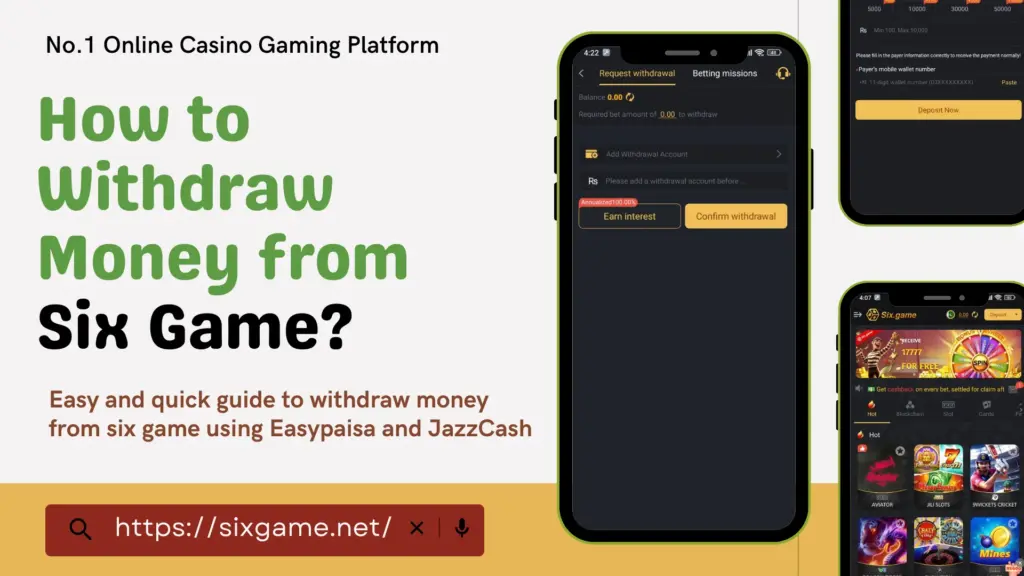
six game

Understanding the Withdrawal Process in Six Game

Withdrawing money from an online gaming platform can sometimes be confusing, especially for new users. Six Game ensures a hassle-free experience by offering simple and transparent withdrawal procedures. Whether you’re a seasoned player or a newcomer, this guide will equip you with all the knowledge needed to successfully withdraw your earnings.

Step-by-Step Guide to Withdraw Money from Six Game

Locate the Withdraw Option

  • Open the Six Game app and find the ‘Withdraw’ button.
  • It is usually positioned on the main dashboard for easy access.
  • The user-friendly interface ensures that you don’t waste time searching for withdrawal options.

Link Your Payment Wallet

  • Before withdrawing funds, ensure your preferred wallet is linked to your Six Game account.
  • Six Game supports JazzCash and EasyPaisa, known for their reliability and fast transactions.
  • Linking your wallet correctly helps in reducing transaction errors and ensures a smoother withdrawal process.
  • Follow the in-app prompts to successfully link your wallet and verify the details.

Select Your Wallet

  • Choose the payment method you want to use for withdrawal.
  • Ensure your wallet is active and ready to receive funds.
  • Double-check your payment details before proceeding to avoid any transaction failures.

Enter the Withdrawal Amount

  • Input the amount you wish to withdraw, considering any minimum or maximum limits.
  • Double-check the amount to prevent errors and ensure accuracy.
  • Ensure your balance is sufficient for the requested withdrawal amount.

Confirm and Submit Your Withdrawal Request

  • Click the ‘Withdraw’ button to process your request.
  • Your withdrawal will be initiated, and the system will begin processing your request.
  • The withdrawal process usually takes a few minutes, but in some cases, it might take longer depending on the transaction volume.

Track Your Withdrawal Status

  • Use the ‘Transaction History’ or ‘Record’ section in the app to monitor your withdrawal status.
  • Stay updated with real-time processing updates.
  • If there are any delays, check your transaction history to see if there are any pending requirements.

Factors That May Affect Withdrawal Speed

Even though Six Game ensures quick withdrawals, several factors may affect processing time:

  • Verification Requirements: If your account requires additional verification, your withdrawal may take longer.
  • Transaction Volume: High withdrawal requests may lead to temporary delays in processing payments.
  • Incorrect Details: Any errors in wallet details can result in failed transactions or longer processing times.
  • Network or Server Issues: Occasionally, network downtime can delay withdrawals.

To ensure faster withdrawals, always double-check your details and keep an eye on network updates from Six Game.

Troubleshooting Withdrawal Issues

  • If your withdrawal request fails, check if you have met all the wagering requirements.
  • Review Six Game’s terms and conditions to ensure compliance.
  • Try again once you fulfill all necessary requirements.
  • If the issue persists, contact Six Game’s customer support for assistance.

Successful Withdrawal Completion

  • Once processed, your funds will be credited to your linked wallet.
  • Ensure your wallet details are correct to avoid any delays in receiving funds.
  • Always keep transaction records for reference in case of any issues.

Additional Tips for a Smooth Withdrawal Process

  • Verify Wallet Details: Ensure your wallet credentials are accurate and up to date.
  • Understand Withdrawal Policies: Familiarize yourself with Six Game’s limits, processing times, and policies.
  • Monitor Your Balance: Keep track of your available funds before initiating a withdrawal.
  • Practice Responsible Gaming: Withdraw within your means and follow responsible gaming guidelines.
  • Keep Track of Promotions: Some bonuses require additional steps before allowing withdrawals, so always check promotional terms.
  • Withdraw During Off-Peak Hours: If you experience slow processing, try withdrawing during less busy times to avoid congestion.

Common Withdrawal Mistakes to Avoid

Many players encounter issues during the withdrawal process due to simple mistakes. Avoid these errors to ensure a seamless experience:

  • Entering incorrect wallet details – Always double-check your payment credentials.
  • Not meeting the wagering requirements – If you’re withdrawing bonus money, ensure you’ve met all necessary conditions.
  • Requesting amounts outside the withdrawal limits – Check the app’s minimum and maximum withdrawal thresholds.
  • Ignoring pending transactions – If you have a pending withdrawal request, avoid submitting another until the first is processed.
  • Not updating the app – Ensure you’re using the latest version of the Six Game app to prevent glitches or outdated features.

Frequently Asked Questions (FAQs)

Six Game supports withdrawals via JazzCash and EasyPaisa, offering secure and convenient transactions.

The minimum withdrawal limit varies; check the app’s guidelines for specific details.

You can monitor your transaction status through the ‘Transaction History’ or ‘Record’ section in the app.

Delays may occur due to verification issues, high transaction volume, or incorrect wallet details. Check your transaction status and ensure all details are correct.

Once a withdrawal request is submitted, it cannot be canceled. Make sure you review all details before confirming the transaction.

Withdrawal times vary, but most transactions are processed within minutes. In some cases, it may take up to 24 hours depending on network conditions and payment processing time.

Six Game does not typically charge withdrawal fees, but third-party payment providers may have their own transaction charges.

Conclusion

Withdrawing money from Six Game is a seamless process when you follow the correct steps. By linking your wallet, ensuring all requirements are met, and tracking your transaction status, you can enjoy a hassle-free withdrawal experience. Stay informed, double-check your details, and practice responsible gaming for the best experience on Six Game.

Always remember to withdraw within your means and keep track of transaction updates. If you ever face issues, Six Game’s support team is always available to help. Enjoy your winnings and happy gaming!

Similar Posts

XP786 Game is more than just a thrilling card game platform; it also allows players to convert their winnings into real cash. To enjoy your earnings to the fullest, it’s crucial to understand how to withdraw money from XP786 Game. This guide offers a step-by-step roadmap for navigating the withdrawal process with ease and confidence.

xp786 game withdraw

Step-by-Step Guide to Withdraw Money from XP786 Game

Locate the Withdraw Button

  • Start by identifying the ‘Withdraw’ button in the app’s interface.
  • Typically found in the lower right corner, it’s essential to familiarize yourself with the layout for easy access.

Link Your Wallet

  • Before initiating any withdrawals, you need to link your preferred wallet to your XP786 account.
  • XP786 supports JazzCash and EasyPaisa, both known for their convenience and secure transactions.

Choose Your Wallet

  • Select the wallet you wish to use for withdrawals.
  • Ensure the wallet is active and capable of receiving payments seamlessly.

Enter the Withdrawal Amount

  • Specify the amount you want to withdraw, keeping in mind your account balance and any minimum or maximum withdrawal limits.
  • Double-check the entered amount to avoid errors.

Confirm the Withdrawal

  • Click on the ‘Withdraw’ button to initiate the transaction.
  • This step confirms your request and sets the process in motion.

Track the Withdrawal Status

  • Use the ‘Record’ feature next to the ‘Withdraw’ button to monitor the progress of your request.
  • This feature provides real-time updates on the transaction status.

Addressing Withdrawal Challenges

  • If the withdrawal fails due to unmet wagering requirements, you may need to engage in additional gameplay.
  • Review the game’s terms to ensure compliance and eligibility for withdrawals.

Successful Completion of Withdrawal

  • Once you meet all requirements, attempt the withdrawal again.
  • Funds should be credited to your linked wallet promptly upon successful processing.

Also Check “How to deposit into xp786 Game

Tips for a Smooth Withdrawal Experience

  • Verify Wallet Details: Ensure your wallet information is accurate and up-to-date to avoid transaction errors.
  • Understand Policies: Familiarize yourself with XP786’s withdrawal limits, processing times, and wagering requirements.
  • Monitor Account Balance: Regularly check your balance to plan withdrawals efficiently.
  • Practice Responsible Gaming: Always engage within your financial limits and adhere to responsible gaming guidelines.

FAQs

XP786 supports withdrawals via JazzCash and EasyPaisa, offering secure and reliable options.

Yes, check the game’s withdrawal policies for details on the minimum withdrawal amount.

Use the ‘Record’ button within the app to monitor your withdrawal’s progress in real time.

Conclusion

Withdrawing money from XP786 Game is a straightforward process when you follow the outlined steps. By linking your wallet, meeting the necessary requirements, and monitoring the transaction status, you can enjoy your winnings with ease. Stay informed, verify details, and embrace responsible gaming for a smooth and rewarding withdrawal experience on XP786.

Similar Posts